Smart Group Maker
Balanced student groups, built from what you know about your class.
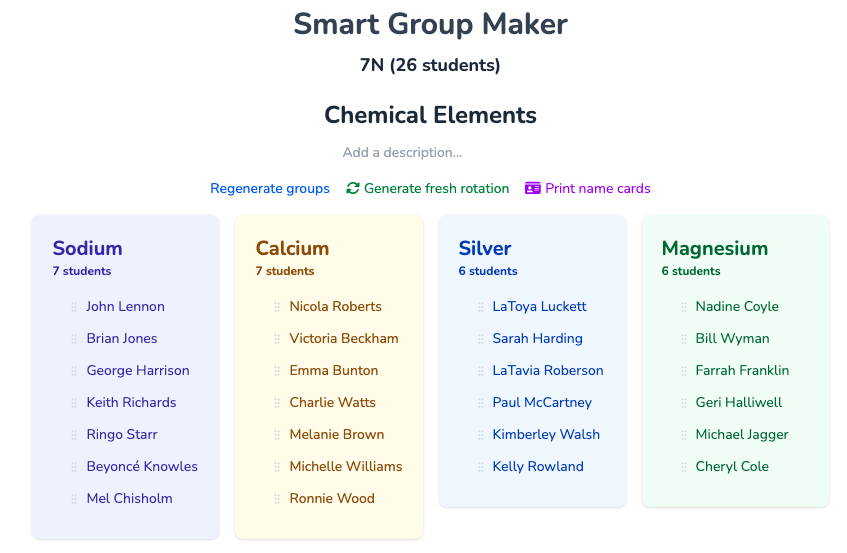
The Smart Group Maker sorts your class into groups using their data, behaviour and preferences. Mix abilities or put similar students together, keep friends together or apart, and choose single-gender or mixed groups.
Your groups are saved to the class, so you can tweak them, print them and use them to seat each group together on your seating plan.
Just need random groups, with no account? Use our free Random Group Maker.
Better groups than picking by hand
Good groups take more than shuffling names. You want a spread of ability, students who will work well together, and none of the pairings you already know end in trouble. Juggling all of that by hand for a class of thirty takes time you don't have.
The Smart Group Maker uses the information already in your Seating Plan class to weigh all of this at once, so you get thought-through groups in seconds and can still make the final call yourself.
Everything you can group by
-
Student data
- Use your class's data columns, such as attainment or target grades, to make mixed-ability groups or put similar students together. Each slider works like Smart Sorting on your seating plans.
-
Behaviour
- Spread students with lots of behaviour or achievement points across groups. Available on Silver and on school plans with behaviour enabled.
-
Preferences
- Use student and teacher preferences to keep good partnerships together and separate students who shouldn't work together.
-
Gender
- Make single-gender groups, or use the gender slider to balance boys and girls across mixed groups.
-
Group size
- Choose how many groups you want, or how many students should be in each group.
-
Fresh rotations
- Generate a new set from an existing one so students work with as many new classmates as possible.
-
Save and tweak
- Every group set is saved to the class. Drag students between groups and rename groups whenever you like.
-
Group names
- Name groups automatically from a preset list, or create your own lists of group names.
-
Print
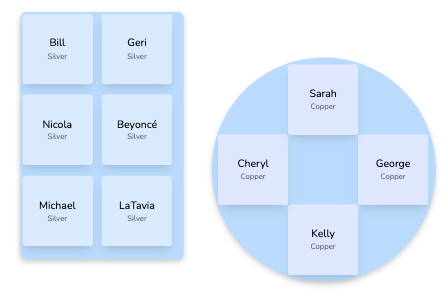
- Print a photo book of each group, or name cards for students' desks.
How it works
-
1
Choose a class
- Pick one of your Seating Plan classes, then give the group set a name and choose a list of group names if you want one.
-
2
Set your criteria
- Choose the number or size of groups, whether to use preferences and gender rules, and move the data sliders to group or separate students.
-
3
Make your groups
- Your groups appear in seconds and are saved automatically. Drag students around, print them, or use them on your next seating plan.
Make your first smart groups today
The Smart Group Maker is free with a Seating Plan account.